
















 Follow Us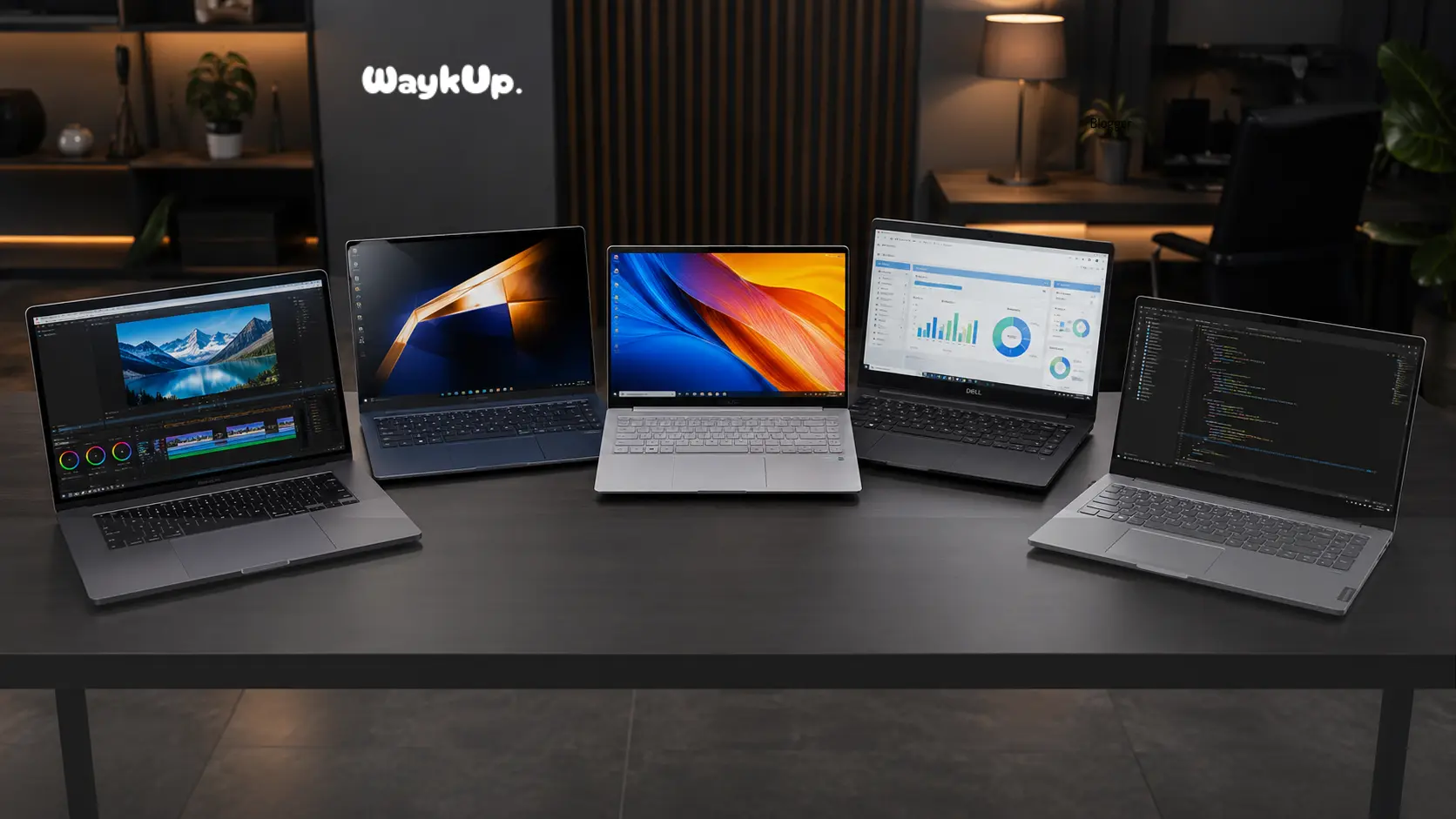
Choosing a laptop in today’s market is honestly a bit overwhelming, isn’t it? Walk into any electronics store, or scroll through Amazon, and you’ll find hundreds of models staring back at you. Which one do you actually need? Which one is worth your hard-earned money?
Whether you’re a student pulling all-nighters, a working professional hopping between meetings, a content creator editing 4K footage, or just someone who wants a reliable machine for browsing and Netflix, there’s a perfect laptop out there for you. You just need to know where to look.
In this guide, we’ve done all the heavy lifting. We’ve handpicked the most popular and capable laptops available today, broken down every important detail, and even built a side-by-side comparison table so you can make the smartest choice possible. Let’s dive in.
Apple MacBook Pro 14: The Premium Powerhouse
Quick Specs:
- Processor: Apple M4 / M4 Pro
- RAM: 16GB – 48GB
- Storage: 512GB – 2TB SSD
- Display: 14.2″ Liquid Retina XDR
- Battery: Up to 22 hours
- Weight: ~1.55 kg
Design & Build Quality
The MacBook Pro 14 is one of those machines where you pick it up and immediately understand why people pay a premium. The Space Black or Silver aluminium unibody chassis feels exceptionally rigid, there’s no flex, no wobble, nothing that makes you feel like something might snap. It’s compact yet substantial, and the overall finish is simply beautiful.
The magnetic MagSafe charging port makes a welcome return, and you get a surprisingly generous port selection for a Mac: HDMI, SD card slot, three Thunderbolt 4 ports, and a headphone jack that audiophiles will appreciate.
Display
The 14.2-inch Liquid Retina XDR display is, without any exaggeration, one of the finest laptop screens available today. With a ProMotion adaptive refresh rate that smoothly shifts between 24Hz and 120Hz, 1600 nits of peak brightness, and support for a billion colours, everything on this screen looks stunningly vivid. Whether you’re colour-grading photos, watching a film, or just reading your morning emails, it’s a genuinely pleasurable experience. The mini-LED backlighting ensures deep blacks and excellent contrast across the board.
Performance
Apple’s M4 and M4 Pro chips have redefined what “laptop performance” means. The M4 chip handles everyday tasks with absolute zero effort, and the M4 Pro variant takes things into serious professional territory, video rendering, 3D modelling, and complex data workloads that would bring most Windows laptops to their knees.
The unified memory architecture means apps run snappily even with multiple intensive applications open simultaneously. Thermal management is excellent too, the MacBook Pro doesn’t throttle aggressively under load, which is a big deal for professionals working on extended projects.
Battery Life
Apple claims up to 22 hours on a single charge, and while real-world usage will vary, it’s common to get 14 to 18 hours of mixed use. This is genuinely all-day and then some. Forget carrying your charger to the office. Forget panic-searching for a power socket at the airport. The MacBook Pro 14 has battery life that’s almost embarrassingly good compared to most Windows competitors.
Pros & Cons
Pros:
- Exceptional M4/M4 Pro performance
- Industry-leading battery life
- Gorgeous Liquid Retina XDR display
- Excellent build quality
- Great port selection for a Mac
- Superb speakers and webcam
Cons:
- Very expensive starting price
- RAM is soldered, not upgradeable
- macOS learning curve for Windows users
- No touchscreen
- Limited gaming support
Best Use Cases
- Video editing, photo editing, and creative work
- Software development and coding
- Running demanding professional applications
- Business travel, long battery life is invaluable
- Music production with Logic Pro
Who Should Buy It?
Creative professionals, developers, and anyone who needs maximum performance in a thin-and-light form factor and doesn’t mind the premium price tag. If you’re serious about your work and want a laptop that won’t slow you down for the next 5–7 years, the MacBook Pro 14 is the gold standard.
If you’re a content creator or social media professional using a high-performance laptop for editing and multitasking, you may also want to check out our detailed guide on the Instagram Algorithm Update 2026 to understand the latest ranking signals, reach factors, and content strategies.
Samsung Galaxy Book 4: The Sleek Windows All-Rounder
Quick Specs:
- Processor: Intel Core Ultra 5/7
- RAM: 8GB – 16GB LPDDR5
- Storage: 256GB – 512GB NVMe
- Display: 15.6″ AMOLED FHD
- Battery: Up to 18 hours
- Weight: ~1.56 kg
Design & Build Quality
Samsung has always had a flair for design, and the Galaxy Book 4 is no exception. The slim aluminium chassis is clean, professional, and instantly recognisable. At roughly 1.56 kg, it’s light enough to carry around all day without your shoulder complaining.
The moonstone grey finish gives it a premium, business-ready look, the sort of laptop you’d be proud to open in a boardroom or a café. Samsung also integrates the Galaxy Book 4 beautifully with its Galaxy ecosystem, so if you have a Samsung phone or tablet, this laptop becomes even more useful.
Display
This is where the Galaxy Book 4 genuinely shines. The 15.6-inch AMOLED display delivers rich, vivid colours and deep blacks that LCD panels simply cannot replicate. Whether you’re working on a spreadsheet in bright sunlight or watching a film late at night, the screen adapts beautifully.
The Full HD resolution keeps text sharp, and the anti-reflective coating is noticeably effective. For a Windows laptop at this price point, the display quality is exceptional, and it’s one of the primary reasons to choose this machine over competitors.
Performance
Powered by Intel’s Core Ultra processors (Meteor Lake generation), the Galaxy Book 4 handles multitasking, web browsing, document editing, and video calls with ease. The built-in Intel Arc graphics aren’t designed for gaming, but they’re perfectly adequate for light creative work and media consumption.
The thermals are well-managed, the fans rarely spin up loud enough to be distracting. It’s a smooth, responsive daily driver that won’t leave you frustrated waiting for things to load.
Battery Life
Samsung claims up to 18 hours of battery life, and while the AMOLED display does draw more power than a standard LCD, real-world usage typically lands you somewhere between 10 and 14 hours on mixed workloads. That’s still impressive for a 15.6-inch laptop and means you can comfortably get through a full workday without hunting for a charger.
Pros & Cons
Pros:
- Gorgeous AMOLED display
- Slim, premium aluminium design
- Excellent Samsung ecosystem integration
- Good battery life for screen size
- Modern Intel Core Ultra processor
Cons:
- Limited port variety
- Not suitable for gaming
- No upgradeable RAM in most variants
- Base model has only 8GB RAM
Best Use Cases
- Office productivity, documents, presentations, emails
- Media consumption with its beautiful AMOLED screen
- Business professionals who travel frequently
- Samsung Galaxy smartphone or tablet users
Who Should Buy It?
Working professionals and business users who want a Windows ultrabook that doesn’t compromise on display quality or portability. If you’re already in the Samsung ecosystem, this laptop makes even more sense. It’s also a smart pick for anyone upgrading from an older, heavier laptop.
ASUS Vivobook 16: Practical, Spacious & Surprisingly Capable
Quick Specs:
- Processor: AMD Ryzen 5/7 or Intel i5
- RAM: 8GB – 16GB DDR5
- Storage: 512GB NVMe SSD
- Display: 16″ FHD IPS, 60Hz
- Battery: Up to 10 hours
- Weight: ~1.88 kg
Design & Build Quality
The ASUS Vivobook 16 is not trying to be the most glamorous laptop in the room, and that’s absolutely fine. It’s a practical, well-built machine made primarily from quality plastic with metal accents on select variants. The build feels solid without being flashy.
ASUS has clearly thought about the student and everyday user market here: the keyboard has a dedicated numpad (a rarity at this size), the fingerprint sensor is conveniently placed on the power button, and the overall layout is clean and easy to use.
Display
The 16-inch Full HD IPS panel gives you a noticeably large workspace compared to 14 or 15-inch screens, great for multitasking with multiple windows open side by side. The colour accuracy is decent enough for everyday use and light photo editing. It’s not the most colour-accurate display in the world, but for students, writers, and general users, it gets the job done with a comfortable viewing experience. Anti-glare coating helps in bright indoor environments.
Performance
With AMD Ryzen 5 or Ryzen 7 processors (and select Intel variants), the Vivobook 16 handles academic work, video streaming, casual photo editing, and even light gaming without breaking a sweat. The AMD Radeon integrated graphics are notably better than Intel’s older integrated solutions, which makes this a surprisingly capable machine for casual use.
The 512GB NVMe SSD ensures fast boot times and snappy application loading, a significant upgrade over the older SATA drives you’d find in budget laptops of the past.
Battery Life
Battery life on the Vivobook 16 is adequate rather than exceptional, expect around 7 to 10 hours depending on your usage. The larger 16-inch display and the choice of processor both affect this. For students who’ll have access to power sockets between classes, this is perfectly workable. For long commutes or full days away from a charger, you might want to keep the adaptor handy.
Pros & Cons
Pros:
- Large, comfortable 16-inch screen
- Excellent value for money
- Numpad, great for data entry
- Solid AMD Ryzen performance
- Fast NVMe SSD storage
- Upgrading RAM is possible on most variants
Cons:
- Heavier than ultrabooks at 1.88 kg
- Average battery life
- Display not colour-accurate enough for serious creators
- Webcam quality is mediocre
Best Use Cases
- College and university students
- Everyday productivity, documents, spreadsheets, web
- Light photo and video editing
- Casual gaming during downtime
- Home office use
Who Should Buy It?
Students, first-time buyers, and anyone who wants a capable, no-nonsense laptop without spending a fortune. If you need a big screen for productivity without breaking the bank, the Vivobook 16 is one of the smartest buys in its segment today.
Dell Inspiron 15: The Reliable Everyday Companion
Quick Specs:
- Processor: Intel Core i5/i7 or AMD
- RAM: 8GB – 16GB DDR4/5
- Storage: 512GB – 1TB NVMe
- Display: 15.6″ FHD, Anti-Glare
- Battery: Up to 9 hours
- Weight: ~1.8 kg
Design & Build Quality
Dell has been making the Inspiron series for decades, and they’ve clearly learnt a thing or two about what everyday users need. The Inspiron 15 is a dependable workhorse, available in a clean plastic body in Platinum Silver or Carbon Black, depending on the variant. It feels solid and sturdy, not cheap or flimsy.
The keyboard is comfortably spaced with good key travel, and the touchpad is responsive and smooth. Dell also backs it up with an excellent after-sales service network across India, which matters when you’re making a sizeable investment.
Display
The 15.6-inch Full HD IPS anti-glare panel is bright, clear, and perfectly suited for everyday use. It’s not trying to compete with AMOLED or high-refresh-rate gaming panels, but for reading, streaming, working in documents, or attending video calls, it does a genuinely good job.
The anti-glare coating significantly reduces eye strain in well-lit offices or classrooms, which is a thoughtful inclusion at this price point.
Performance
Depending on which variant you choose, the Inspiron 15 is powered by Intel’s 12th or 13th Gen Core processors or AMD Ryzen alternatives. Either way, you get smooth, reliable performance for typical productivity tasks, video conferencing, web browsing, and multimedia consumption.
It’s not a speed demon by any means, but it’s consistently dependable, it won’t choke on a Teams call with 20 tabs open. The thermal management is decent, keeping the machine quiet under normal conditions.
Battery Life
Battery life is around 7 to 9 hours on standard usage, enough for a full school or work day if you’re not pushing the processor hard. Dell also offers a fast-charging feature in some configurations, which tops the battery to 80% in under an hour, incredibly handy if you’re rushing out the door.
Pros & Cons
Pros:
- Dependable, well-tested brand
- Excellent customer service network in India
- Good keyboard and touchpad experience
- Solid everyday performance
- Upgradeable RAM slot available
- Competitive pricing
Cons:
- Average-looking, utilitarian design
- No discrete GPU in base variants
- Battery life could be better
- Modest webcam quality
Best Use Cases
- Office work, remote working, and corporate environments
- Students and families needing a shared household laptop
- Online classes and video conferencing
- Basic home entertainment
Who Should Buy It?
Anyone who values reliability and brand trust over flashy specs. The Dell Inspiron 15 is perfect for families, working professionals in corporate environments, and students who want a no-fuss machine that just works, day after day. Dell’s service network in India is a genuine bonus.
Lenovo IdeaPad Slim 5: Light, Affordable & Well-Rounded
Quick Specs:
- Processor: AMD Ryzen 5/7 or Intel i5
- RAM: 8GB – 16GB LPDDR5
- Storage: 512GB NVMe SSD
- Display: 14″/16″ IPS FHD or 2.8K OLED
- Battery: Up to 12 hours
- Weight: ~1.46 kg (14-inch)
Design & Build Quality
The IdeaPad Slim 5 strikes an impressive balance that many budget-range laptops fail to achieve: it looks and feels significantly more expensive than it actually is. The metallic lid and clean lines give it an almost premium ultrabook aesthetic. At around 1.46 kg for the 14-inch variant, it’s genuinely lightweight, comfortable to carry in a backpack all day.
The keyboard is one of the best in its price segment, with satisfying key travel and a backlit layout that’s great for working in low-light conditions.
Display
Higher-end variants of the IdeaPad Slim 5 come with a stunning 2.8K OLED display that punches well above its price class, the colour accuracy and contrast ratios are genuinely impressive and make media consumption a delight. The base FHD IPS variants are more than adequate for everyday tasks. If OLED is within your budget, it’s worth the upgrade for anyone who spends significant time looking at their screen.
Performance
AMD Ryzen 5000 or 7000 series processors (or Intel Core i5 in some variants) provide smooth, capable performance for multitasking, content creation, and everyday computing. The IdeaPad Slim 5 handles Zoom calls, multiple browser tabs, document editing, and even moderate photo editing comfortably.
Lenovo’s thermal design keeps the laptop relatively cool and quiet under typical workloads. It’s not a gaming machine, but for everything else you throw at it daily, it performs admirably.
Battery Life
The IdeaPad Slim 5 offers some of the best battery life in its segment, up to 12 hours with moderate usage, making it an excellent choice for students and professionals who are away from power sockets for extended periods. The efficient AMD Ryzen processors contribute significantly to this endurance, and Lenovo’s battery management software further optimises power consumption.
Pros & Cons
Pros:
- Lightweight and portable design
- OLED option at an accessible price
- Excellent battery life
- Great keyboard for the price
- Solid AMD Ryzen performance
- Competitive value for money
Cons:
- Average speaker quality
- Base model RAM is limited at 8GB
- No discrete GPU
- Webcam is basic at 720p
Best Use Cases
- College students and daily commuters
- Remote workers who travel frequently
- Anyone wanting ultrabook-like portability without premium pricing
- Light content consumers who value a beautiful OLED screen
Who Should Buy It?
The Lenovo IdeaPad Slim 5 is the go-to recommendation for students and budget-conscious professionals who want a lightweight, capable laptop that looks good and lasts all day. If you can stretch for the OLED variant, you’re getting a screen experience that rivals laptops costing significantly more.
Quick Comparison: Popular Laptops at a Glance
Not sure which one to shortlist? This comparison table makes it easy to see how all five stack up against each other across the most important specifications.
|
Laptop |
Processor |
RAM |
Storage |
Display |
Battery |
Best For |
|
Apple MacBook Pro 14 |
Apple M4 / M4 Pro |
16–48GB |
512GB–2TB SSD |
14.2″ Retina XDR |
~18–22 hrs |
Creators, Devs |
|
Samsung Galaxy Book 4 |
Intel Core Ultra 5/7 |
8–16GB |
256–512GB |
15.6″ AMOLED |
~10–14 hrs |
Business Users |
|
ASUS Vivobook 16 |
AMD Ryzen 5/7 |
8–16GB |
512GB SSD |
16″ FHD IPS |
~7–10 hrs |
Students |
|
Dell Inspiron 15 |
Intel Core i5/i7 |
8–16GB |
512GB–1TB |
15.6″ FHD |
~7–9 hrs |
Everyday Use |
|
Lenovo IdeaPad Slim 5 |
AMD Ryzen 5/7 |
8–16GB |
512GB SSD |
14/16″ OLED/IPS |
~10–12 hrs |
Students, Travel |
Laptop Buying Guide – How to Choose the Right One
Before you hit that “Add to Cart” button, it’s worth spending a few minutes thinking about what you actually need. Buying a laptop is a long-term investment, most people use their laptop for 4 to 6 years. Here’s what to consider:
Key Factors to Evaluate
- Budget: Set a realistic budget first. The sweet spot for most users in India is between ₹50,000 and ₹90,000. Premium machines like the MacBook Pro will cost significantly more, but they offer exceptional longevity.
- Use Case: Are you mostly doing office work? Gaming? Photo editing? Be honest about your primary use case, it changes everything.
- Portability: If you commute or travel frequently, weight matters. Under 1.5 kg is ideal. If the laptop stays on a desk most of the time, you can prioritise screen size instead.
- RAM: 8GB is the minimum today. If you multitask heavily, go for 16GB. Creative professionals should look at 16GB or more.
- Storage: 512GB SSD is the comfortable baseline. If you work with large video files or have a massive media library, look at 1TB options.
- Battery Life: If you’re often away from power sockets, prioritise models offering 10+ hours of real-world usage.
- Display Quality: If your work involves design or you consume a lot of media, invest in a better panel, OLED or high-resolution IPS is worth it.
Best Laptop for Students
Students need a balance of performance, portability, and battery life without breaking the bank. Light weight and all-day battery are non-negotiable.
Top Pick: Lenovo IdeaPad Slim 5 or ASUS Vivobook 16
Price Range: ₹50,000–₹75,000
The IdeaPad Slim 5 wins on portability and battery life, ideal for those who commute daily. The Vivobook 16 is the better pick if you need a larger screen for multitasking and don’t mind a slightly heavier bag.
Best Laptop for Professionals
Professionals need reliability, a great keyboard, good build quality, and strong performance for productivity apps and video calls.
Top Pick: Samsung Galaxy Book 4 or Dell Inspiron 15
Price Range: ₹70,000–₹1,00,000
The Galaxy Book 4 impresses with its AMOLED display and sleek design for client-facing environments. The Dell Inspiron 15 is the safer choice for those who prioritise service support and long-term reliability over looks.
Best Laptop for Content Creators
Creators need a colour-accurate display, powerful processor, and enough RAM to handle video editing and design software smoothly.
Top Pick: Apple MacBook Pro 14
Price Range: ₹1,60,000 and above
There’s really no substitute here. The M4/M4 Pro chip, the Liquid Retina XDR display, and the exceptional thermal performance make the MacBook Pro 14 the definitive creative laptop in recent times.
Best Value for Money Laptop
Looking for maximum features per rupee spent? These picks offer premium-feeling experiences at accessible prices.
Top Pick: Lenovo IdeaPad Slim 5 (OLED variant)
Price Range: ₹60,000–₹80,000
Getting an OLED display, lightweight chassis, decent processor, and great battery life all in one package at this price point is genuinely remarkable. The IdeaPad Slim 5 OLED consistently punches above its weight class.
Best Laptop for Everyday Home Use
For browsing, streaming, online shopping, and video calls, you don’t need to overspend. A reliable, comfortable everyday machine is all you need.
Top Pick: Dell Inspiron 15
Price Range: ₹55,000–₹75,000
The Dell Inspiron 15 is the digital equivalent of a reliable family car, not flashy, not exciting, but dependable every single day. It’s a great shared household laptop.
Best Lightweight Laptop for Travel
Frequent travellers need something feather-light that doesn’t sacrifice screen quality or battery longevity on the road.
Top Pick: Lenovo IdeaPad Slim 5 14″ or MacBook Pro 14 Weight: Under 1.5 kg
Both weigh under 1.5 kg, both have excellent battery life, and both are genuinely pleasant to use on planes, trains, and in hotel rooms.
Frequently Asked Questions
Which is the best laptop for students in India right now?
The Lenovo IdeaPad Slim 5 and the ASUS Vivobook 16 are currently among the top choices for students. The IdeaPad Slim 5 is lighter and has better battery life, making it ideal for daily college commutes. The Vivobook 16 offers a larger screen and more bang for buck if portability isn’t the top priority.
Is the Apple MacBook Pro 14 worth the high price in India?
For professionals, particularly video editors, developers, and designers, absolutely yes. The M4 chip offers unmatched performance-per-watt, the build quality is outstanding, and the battery life alone saves you significant hassle. If your work involves intensive creative applications, the MacBook Pro pays for itself in productivity gains fairly quickly. For casual users, however, it’s difficult to justify the premium.
How much RAM do I actually need in a laptop today?
For basic use (browsing, documents, video streaming), 8GB is sufficient but tight. For comfortable multitasking, web development, or light creative work, 16GB is the sweet spot. If you work with video editing, 3D software, or virtualisation, aim for 32GB or more. Future-proofing with 16GB is generally the wisest investment.
Should I buy a laptop with an OLED display?
If your work involves colour-critical tasks like photo or video editing, or if you simply love consuming high-quality media, OLED is a noticeable upgrade over standard IPS panels. The colours are richer, blacks are deeper, and the overall visual experience is superior. However, OLED screens can have slightly higher battery drain and may experience burn-in over very extended usage with static elements.
Is AMD Ryzen better than Intel for laptops?
It depends on the generation and specific use case. In recent times, AMD Ryzen 7000 series processors have offered excellent performance and power efficiency, often matching or beating Intel’s mainstream options while delivering better battery life. Intel’s Core Ultra (Meteor Lake) chips have closed the gap significantly. Both are excellent choices; focus on real-world benchmarks for your specific workflow rather than brand loyalty.
What is the ideal battery life for a laptop?
Ideally, you want a laptop that offers 10 or more hours of real-world mixed usage. This gets you comfortably through a full workday or school day without needing to charge. Manufacturers often quote optimistic figures, always look at independent reviewer tests for more realistic battery life numbers.
Which laptop brand has the best after-sales service in India?
Dell and Lenovo are widely regarded as having strong after-sales service networks across India, including tier-2 and tier-3 cities. HP also has a solid service network. Apple’s service experience is excellent in major cities but limited in smaller towns. Samsung’s service network is generally good, given its strong presence in India.
Can I use any of these laptops for casual gaming?
Light gaming, titles like Minecraft, CS2 at low settings, or older games, is possible on laptops with integrated AMD Radeon or Intel Arc graphics (like the Vivobook 16 or IdeaPad Slim 5). For serious gaming with demanding titles at good settings, you’ll want a dedicated gaming laptop with a discrete GPU like an NVIDIA RTX series, which is outside the scope of this particular guide.
Final Verdict: The Right Laptop for the Right Person
There’s genuinely no single “best” laptop, it all comes down to who you are and what you need it for. The good news is that the modern laptop market is so strong that whatever your budget or use case, there’s an excellent option waiting for you.
Here’s a quick summary to help you decide:
- For Creators & Developers: Apple MacBook Pro 14, unrivalled performance, battery life, and display quality for serious professional work.
- For Business Professionals: Samsung Galaxy Book 4, sleek, Windows-native, and beautifully displayed for daily office and travel use.
- For Students: Lenovo IdeaPad Slim 5 or ASUS Vivobook 16, lightweight, capable, and excellent value for academic life.
- For Everyday Home Use: Dell Inspiron 15, dependable, well-supported, and perfectly capable for all household computing needs.
- Best Value for Money: Lenovo IdeaPad Slim 5 (OLED variant), premium screen experience at a price point that won’t empty your wallet.
- Best for Travel: Lenovo IdeaPad Slim 5 14″, featherweight, great battery, and enough performance for anything on the road.
Whichever laptop you choose from this list, you’re making a well-informed decision. All five machines are genuinely capable, well-built, and represent strong choices in today’s market. Take your time, match your needs to the right model, and you’ll have a reliable companion for years to come. Happy laptop hunting!